

Sarah Whitfield
Senior Editor, The Pulp House Publishing
Published Oct 16, 2026
20 min read
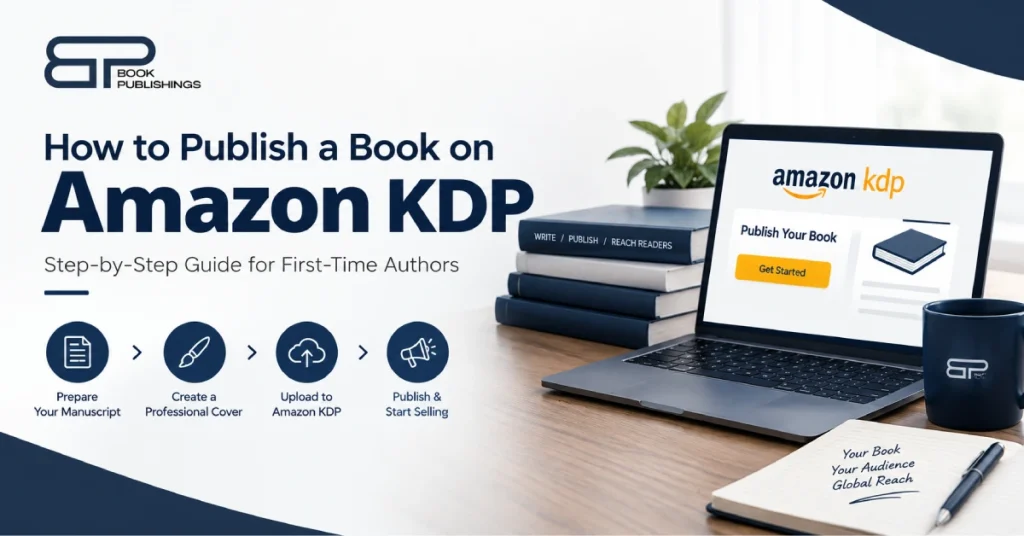
Quick answer: how to publish a book on Amazon KDP Create a free Kindle Direct Publishing (KDP) account, finish the tax and payment setup, then click + Create and choose eBook, paperback or hardcover. Enter your book details, upload a formatted manuscript and a cover that meets KDP’s specs, set your price, and click Publish. Review can take up to 72 hours. KDP is free to use; you pay only for the editing, cover and other services you choose.
If you searched how to publish a book on Amazon KDP, you probably have a finished manuscript and three practical questions: what exactly do I upload, what will it cost, and how much will I earn?
This guide answers all three. It covers Amazon KDP publishing from account setup to launch, with the exact file specs, royalty maths and costs, checked against Amazon’s own KDP help pages in October 2026. Where a competitor guide is out of date, we flag it.
We’re Book Publishings, a self-publishing services company. You can do everything below yourself, and we’ll tell you honestly when hiring help is worth it.
Key takeaways
- KDP costs $0 to use. Your real costs are editing, cover design and formatting (about $2,000 to $6,000 for a professional-quality book), plus printing cost on each paperback sold.
- eBook royalties are 35% or 70%. The 70% option now applies to list prices from $2.99 to $12.99 (the upper limit rose from $9.99 on July 7, 2026).
- Print royalties are 50% or 60% of list price, minus printing cost. On Amazon.com the 60% rate starts at $9.99.
- Cover and file specs matter. Wrong bleed, resolution or spine width is a top reason for rejection or a poor-looking book.
- KDP Select is a trade-off. You get Kindle Unlimited and promotions, but your eBook must be exclusive to Amazon for each 90-day period.
- You must disclose AI-generated text, images or translations when you publish.
Want a hands-off route? Get a free quote and publishing plan → or call +1 (888) 223-2911.
What Is Amazon KDP and How Does It Work?
Amazon Kindle Direct Publishing (KDP) is Amazon’s free self-publishing platform. You upload a book file and a cover, set a price, and Amazon sells it as a Kindle eBook, a print-on-demand paperback or hardcover, and (in beta) a computer-narrated audiobook, paying you a royalty on every sale.
Here is how self-publishing on Amazon works in four lines:
- You supply the manuscript, cover and book details.
- KDP hosts the eBook and prints paperbacks and hardcovers only when a customer orders (print-on-demand), so there’s no inventory.
- Amazon sells the book in its stores and pays you a royalty.
- You keep your rights and control the price.
Deeper explainers: How Does Amazon KDP Work? and How to Self-Publish a Book on Amazon. For the wider picture of self-publishing beyond Amazon, see our pillar guide, How to Self-Publish a Book, and our sibling guide, How to Publish a Book.
Amazon KDP at a Glance (Verified October 2026)
Topic | What KDP says |
Cost to publish | $0 |
eBook royalty | 35% or 70% of list price (70% option: minus delivery costs; eligible territories only) |
eBook price limits (Amazon.com) | 70%: 12.99. 35%: 200 (minimum depends on file size) |
Paperback / hardcover royalty | 50% at $9.98 or below, 60% at $9.99 or above (Amazon.com), minus printing cost |
Expanded Distribution royalty | 40% of list price minus printing cost |
Paperback printing cost (black ink, regular trim, Amazon.com) | $1.00 + $0.012 per page (110-828 pages) |
Review and go-live time | Up to 72 hours |
Payment timing | About 60 days after the end of the sales month (Expanded Distribution: about 90 days) |
Free ISBN | Paperback and hardcover only; usable only on KDP; imprint shows “Independently published” |
KDP Select | 90-day enrollment, eBook only, Amazon-exclusive, auto-renews |
Sources: Amazon KDP help pages on royalties, pricing, printing cost, payments, ISBNs and KDP Select. Amazon can change these terms, so confirm on KDP before you set a price.
Before You Start: What You Need for Amazon KDP for Beginners
Have these ready before you click “Create”:
- A finished, professionally edited manuscript. See Step 3 and our editing and proofreading
- A formatted interior file (DOCX, EPUB or KPF for eBooks; a print-ready PDF for paperback and hardcover).
- A cover that meets KDP’s specs (eBook image, plus a full wrap PDF for print).
- Your book details: title, subtitle, series, author name, description, keywords, categories.
- Tax and bank information (non-US authors may need to provide tax details such as a W-8BEN during KDP’s tax interview).
- A price plan based on the royalty maths below.
New to the whole process? Start with How to Self-Publish Your First Book.
How to Publish a Book on Amazon KDP: 12 Steps
This is the full Amazon KDP step-by-step guide, in the order you’ll do it.
Step 1: Create your KDP account
Sign in at kdp.amazon.com with an Amazon account, then complete your author profile, tax interview and payment details. You can start a book before finishing tax and payment setup, but KDP can’t pay you until it’s done.
- Choose direct deposit if available. Per KDP, direct deposit has no minimum payment threshold, while wire and check payments have a $100 minimum on Amazon.com.
- Enter your name exactly as it appears on your tax documents.
Step 2: Decide which formats to publish
Pick the formats your readers want. Most first-time authors launch with an eBook and a paperback, then add a hardcover or audiobook later. See format comparison below, or dive into How to Publish an eBook on Amazon, How to Publish a Paperback on Amazon, How to Publish a Hardcover on Amazon and How to Publish an Audiobook on Amazon.
Step 3: Edit and proofread your manuscript
Editing is the best money you’ll spend. Typos and structure problems are the fastest route to one-star reviews. Plan on developmental editing, copy editing and a final proofread. Costs run roughly $1,000 to $2,000 for a 60,000-word book, and more for longer or heavier edits, per Reedsy’s published ranges. See our editing service.
Step 4: Format your book (Amazon KDP book formatting)
Formatting turns your document into a clean reading experience. You need a different file for eBook and for print.
eBook manuscript formats KDP accepts
Format | Notes |
KPF (Kindle Package Format) | Created in Kindle Create; Amazon’s most reliable route for avoiding formatting problems |
DOCX | Works for simple layouts; check it in Kindle Previewer |
EPUB | Accepted if it meets Kindle Publishing Guidelines; validate with Kindle Previewer |
Others | HTML, RTF, TXT and PDF are accepted, with limits (fixed-layout MOBI is no longer accepted as of March 2025) |
Paperback and hardcover interiors need a print-ready PDF with a chosen trim size, margins that leave room for the binding, bleed if you have images that touch the edge, embedded fonts and correct page numbering. Pick your trim size once and keep it consistent across a series.
Get it right the first time with our book formatting team, or learn the details in How to Format a Book for KDP.
Step 5: Prepare your cover (Amazon KDP cover requirements)
Your cover is your sales page. It has to signal your genre at thumbnail size and meet KDP’s technical specs.
eBook cover image (KDP guidelines)
Spec | Requirement |
File type | JPEG or TIFF |
Ideal size | 2,560 px tall × 1,600 px wide |
Minimum / maximum | 1,000 × 625 px / 10,000 px on the longest side |
Ratio | At least 1.6:1 (height to width) |
Color / file size | RGB; under 50 MB |
Tip | Add a 3-4 px medium gray border to light covers so they don’t vanish on a white page |
Paperback cover (full wrap PDF)
Spec | Requirement |
File | One PDF with back cover, spine and front cover as a single flattened image |
Resolution | At least 300 DPI, CMYK, fonts embedded |
Bleed | 0.125″ (3.2 mm) on the top, bottom and outside edges |
Cover width | Bleed + back cover + spine + front cover + bleed |
Spine width per page | Black and white on white paper: 0.002252″; on cream paper: 0.0025″ |
Spine text | Allowed only on books of 79+ pages; keep text at least 0.125″ inside trim and 0.0625″ from spine edges |
Barcode | Optional; KDP adds one to the back cover if you don’t |
Finish | Glossy or matte |
Example: a 300-page book on cream paper has a spine of 300 × 0.0025″ = 0.75″. Always confirm with KDP’s current cover calculator before you finalize, because spine width changes with paper type and page count.
Don’t print a price on the cover. Need a designer who knows KDP templates? See book cover design and KDP Book Cover Size and Requirements.
Step 6: Decide on your ISBN (Amazon KDP ISBN requirements)
Kindle eBooks don’t need an ISBN, because Amazon assigns an ASIN. Paperbacks and hardcovers do need one, and KDP will give you a free one.
Option | Cost | What to know |
Free KDP ISBN | $0 | Paperback and hardcover only; usable only on KDP; imprint shows “Independently published” |
Your own ISBN (Bowker, US) | $125 for one, $295 for ten | You are the publisher of record; works on any platform; each format needs its own |
If you might also sell through IngramSpark, bookstores or your own store, buy your own. Read What Is an ISBN? and Can You Self-Publish Without an ISBN?.
Step 7: Click "+ Create" and enter your book details
On your KDP Bookshelf, click + Create, choose eBook, paperback or hardcover, then complete the details page.
- Title and subtitle: these must match your cover. Use the subtitle for a clear promise or keywords your readers search.
- Author and contributors: use your real author name consistently.
- Description: treat it as a sales page, not a synopsis. Lead with a hook line, explain what the reader gets (nonfiction) or what is at stake (fiction), and keep paragraphs short. See How to Create a KDP Book Description.
- Keywords: KDP gives you seven keyword fields. Use phrases readers actually type. See How to Choose Keywords for Amazon KDP.
- Categories: choose the most specific categories that fit your book, not the broadest. See How to Choose Amazon Book Categories.
- Pre-order (eBooks): optional; useful for building early reviews if you have an audience.
Step 8: Upload your manuscript and cover (how to upload a book to Amazon KDP)
Upload the interior, then the cover, then use the Previewer to check every page.
- Upload your manuscript file (DOCX, KPF or EPUB for eBooks; PDF for print).
- Upload your cover (JPEG/TIFF for eBooks; full-wrap PDF for print) or use KDP’s Cover Creator.
- Open the Previewer and check line breaks, images, the table of contents and the spine.
- Fix any errors KDP flags and re-upload. Margin and spine warnings are common, and fixing them is normal.
Step 9: Declare AI-generated content
KDP requires you to tell it about AI-generated text, images or translations when you publish a new book or republish an edited one. This includes cover and interior artwork.
- AI-generated content is content an AI tool created, and per KDP it stays AI-generated “even if you applied substantial edits afterwards.”
- AI-assisted content (you wrote it; AI helped you edit, refine, error-check or brainstorm) does not need to be disclosed.
- You are responsible for making sure all of it meets KDP’s content guidelines, including intellectual property rights.
Step 10: Set your price and royalty option (Amazon KDP royalties)
Choose your territories, the royalty option for eBooks, and your list price. Then check the maths against KDP’s printing cost and royalty calculator. The full breakdown is in the royalties section.
Quick rules:
- eBook 70% option requires a list price of $2.99 to $12.99 and applies in eligible territories; your price must also be at least 20% below the list price of any physical edition on Amazon.
- Books made mostly of public domain content qualify only for the 35% option.
- Print royalties jump from 50% to 60% at $9.99 on Amazon.com.
Step 11: Order a proof copy, then publish
Order a printed proof before you approve a paperback or hardcover. Check the trim, the spine, the margins, image quality and the cover colors in your hands. Then click Publish.
KDP reviews the book, and it can take up to 72 hours to go live. Edits are locked during review. Once live, it shows on Amazon, and you can update files later.
Step 12: Launch and promote
Start building your audience 2-3 months before launch. Plan your reviews, email list, ads and launch-week promotions. See How to Promote a Book on Amazon and Amazon Book Marketing Strategies for Authors, plus our Amazon book marketing and book launch marketing services.
“This company helped me publish my book and everything as simple and good as I had wished it would turn out.” Michael Johnson-Clarke, author (review shown on bookpublishings.com)
Stuck on a step? Talk to a publishing specialist. It’s free, and we’ll tell you when you don’t need us.
Amazon KDP Royalties Explained (With Worked Examples)
KDP pays 35% or 70% on eBooks, and 50% or 60% on print, with printing cost subtracted from print royalties. The right price depends on which side of the thresholds you land.
eBook royalties
Option | List price range (Amazon.com) | Formula |
70% | 12.99 | 70% × (list price − applicable VAT − delivery cost) |
35% | 200 (minimum rises with file size) | 35% × (list price − applicable VAT) |
KDP lists average delivery costs at about $0.06 per unit sold, varying with file size.
Example: a 4.99 − $0.06) ≈ $3.45 per sale. The same price on the 35% option earns about $1.75. At the top of the band, a $12.99 eBook earns about $9.05.
Check before you copy older guides. Many competing articles still say the 70% option stops at $9.99. KDP’s pricing page says the maximum rose from $9.99 to $12.99 effective July 7, 2026.
Paperback and hardcover royalties
Formula: (royalty rate × list price) − printing cost = royalty.
Printing cost (paperback, black ink, regular trim, Amazon.com): $1.00 fixed + $0.012 per page for 110-828 pages. Books of 24-110 pages pay only $2.30. Printing cost depends on the marketplace, page count and ink type; it isn’t affected by trim size, bleed or cover finish.
Example: a 300-page paperback. Printing cost = $1.00 + (300 × $0.012) = $4.60.
List price | Royalty rate | Royalty per copy |
$9.98 | 50% | ($9.98 × 0.50) − $4.60 = $0.39 |
$9.99 | 60% | ($9.99 × 0.60) − $4.60 = $1.39 |
$14.99 | 60% | ($14.99 × 0.60) − $4.60 = $4.39 |
One cent moves the royalty from $0.39 to $1.39. Most print authors price at or above $9.99, and many go higher so the margin covers printing and still pays them.
Expanded Distribution pays 40% of list price minus printing cost, and royalties appear about 30 days after the sales month ends. Example from KDP: ($15 × 0.40) − $5.00 = $1.00.
When do you get paid?
KDP pays monthly, about 60 days after the end of the sales month (Expanded Distribution: about 90 days). Direct deposit usually arrives within 1-5 business days after the payment date; wire and check have a $100 minimum on Amazon.com.
More: How Much Does KDP Pay Authors? and How Do Amazon Book Royalties Work?
Amazon KDP Publishing Costs
Publishing on KDP is free. The cost to publish a professional book on Amazon is the services you buy, typically about $2,000 to $6,000. Reedsy’s published ranges are 5,300 and, from its freelancer-quote analysis, 5,660.
Cost item | Budget | Standard | Premium |
KDP account and upload | $0 | $0 | $0 |
Editing | 800 (copy edit only) | 3,000 | 5,000+ |
Cover | 400 (premade) | 1,200 | 2,500+ |
Interior formatting | DIY software | 750 | Complex layouts, higher |
ISBN | Free KDP ISBN | $125 (single) | $295 (ten) |
Proof copy | Printing cost + shipping | Same | Same |
Marketing | 500 | 2,000 | $2,000+ |
The two items that decide whether readers trust your book are editing and the cover. If your budget is tight, spend there first.
Details: How Much Does It Cost to Publish a Book on Amazon?
See your exact price. We review your manuscript and send an itemized quote with no hidden fees. Get your free quote →
eBook vs Paperback vs Hardcover vs Audiobook on KDP
| eBook | Paperback | Hardcover | Audiobook (virtual voice, beta) |
Upfront cost | $0 | $0 | $0 | $0 |
Royalty | 35% or 70% | 50% or 60% minus printing | 50% or 60% minus printing | 40% on à la carte sales |
Price limits | 200 (70%: 12.99) | Set by printing cost; max $250 | Set by printing cost; max $250 | 14.99 |
Files you need | DOCX / KPF / EPUB + cover image | Print PDF + full-wrap cover PDF | Print PDF + hardcover cover | An eligible KDP eBook |
Best for | Fast launch, Kindle Unlimited | Gifts, signings, print readers | Premium editions, collectors | Listeners, extra revenue |
Audiobooks: KDP’s virtual voice beta (US marketplace) lets you turn an eligible eBook into a computer-narrated audiobook using one of about 80 voices. It adds to, and does not replace, ACX for human-narrated audio. For human narration and wider audio distribution, see our audiobook publishing service.
KDP Select vs Regular KDP
KDP Select is a free 90-day program for Kindle eBooks that puts your book in Kindle Unlimited and unlocks promotions, in exchange for exclusivity.
| KDP Select | Regular KDP |
Applies to | Kindle eBooks only | eBooks, paperbacks, hardcovers |
Exclusivity | eBook must be exclusive to the Kindle Store for the period | None; sell anywhere |
Kindle Unlimited | Included automatically | Not included |
Promotions | Free Book Promotions and Kindle Countdown Deals* | Not available |
Term | 90 days, auto-renews unless you opt out | N/A |
Print / audio elsewhere | Allowed | Allowed |
*Kindle Countdown Deals are available only on Amazon.com and Amazon.co.uk.
“Your Kindle eBook must also be exclusive to the Kindle Store for the KDP Select enrollment period.” Amazon KDP help, KDP Select requirements
During enrollment, digital distribution is limited to KDP and public libraries, and you may offer up to 10% of the book as a sample elsewhere. Unpublishing pauses the enrollment period.
Who should choose Select? Genres with heavy Kindle Unlimited readership (many series and genre fiction authors) often do. Who shouldn’t? Authors who want to sell on Apple Books, Kobo and Google Play, or who earn most of their income from non-Amazon sales. Compare in depth: KDP Select vs Regular KDP.
FAQ: Self Publishing a Book
Finish and revise your manuscript, then get feedback from beta readers. Once it's ready, choose your publishing path and book your editor and cover designer early.
Professional-quality self publishing typically costs about $2,000 to $6,000, covering editing, cover design, formatting and an ISBN. A near-free version is possible if you do the work yourself.
Most projects take about 3 to 6 months from final draft to launch. A polished manuscript can take weeks, and professional lead times can add months.
Yes. You can publish directly through Amazon KDP, IngramSpark and other platforms without a traditional publisher, and you keep your rights and control the price.
You need one for print books and any edition you want sold widely. Ebooks on a single platform may not require one. In the US, a Bowker ISBN costs $125, or $295 for ten.
Yes. Copyright belongs to you automatically. Registering with the US Copyright Office costs $45 for a single author or $65 for the Standard Application.
They earn royalties on ebook, print and audiobook sales, and many add direct sales, speaking and related income. KDP offers 35% and 70% ebook options at eligible prices.
It's worth it if you want control, speed and higher per-copy earnings, and you'll invest in editing, a good cover and marketing. If you want bookstore shelf presence and no upfront cost, traditional publishing may suit you better.
Hire one if time or technical skill is your bottleneck and you can get an itemized quote that lets you keep your rights. If you have time and enjoy learning the tools, DIY can work.
In self-publishing you control and fund production and keep your rights. In hybrid publishing you share costs with a publisher and the contract defines rights and royalties, so read it carefully.
Ready to Self-Publish Your Book?
Self publishing gives you control, ownership and the freedom to publish on your schedule. You don’t have to figure out every step alone. Book Publishings gives you a dedicated publishing specialist, editing and design under one roof, and a clear plan from manuscript to launch, while you keep your rights.
Get Your Free Quote → | Call +1 (888) 223-2911 | Email info@bookpublishings.com
Explore our self-publishing services, book publishing services and book marketing.
Add to Preferred Sources
Get more of our articles in your Google Search results.
Table of Content
- What Is Amazon KDP and How Does It Work?
- Amazon KDP at a Glance (Verified October 2026)
- Before You Start: What You Need for Amazon KDP for Beginners
- How to Publish a Book on Amazon KDP: 12 Steps
- Amazon KDP Royalties Explained (With Worked Examples)
- Amazon KDP Publishing Costs
- eBook vs Paperback vs Hardcover vs Audiobook on KDP
- KDP Select vs Regular KDP
About the author
Sarah Whitfield
Sarah has spent 14 years editing and formatting manuscripts across fiction and nonfiction, from debut memoirs to award-nominated novels. She leads the editorial team at The Pulp House Publishing and has personally prepared over 600 titles for print and digital release.
Ready to publish your book?
Get a free manuscript evaluation and publishing quote from our editorial team — no obligation.